What Are the Top 10 Types of AOC Fiber Cable?
AOC Fiber Cable has become a practical bridge between high-speed equipment and modern data center architecture. It combines optical fiber with permanently attached transceivers, reducing connector work and installation time. In a crowded rack, a short AOC link can replace heavier copper assemblies and improve airflow.
Charles K. Kao, a pioneer of optical communications, captured the technology’s direction with the words, “The future is in optical fibre.” His insight remains relevant to AOC Fiber Cable, especially as servers, switches, and storage systems demand faster connections. This guide examines the top 10 types, including multimode OM3, OM4, and OM5 cables, single-mode OS2 designs, duplex and simplex constructions, breakout AOCs, and cables made for Ethernet, InfiniBand, PCIe, or Fibre Channel networks.
The comparison will focus on real installation decisions. These include transmission speed, link distance, connector type, bend radius, optical loss, power consumption, and operating temperature. A 3-meter 100G breakout cable may suit a server row, while a longer 400G link requires stricter planning. Compatibility matters more than appearance. A polished cable can still fail when its transceiver coding conflicts with the switch.
No buying guide is perfect. Manufacturers may use different naming practices, and product specifications can change. Readers should verify datasheets, firmware support, and industry standards before ordering. The goal is not to promote one cable. It is to clarify where each AOC Fiber Cable type performs well, where it struggles, and which details deserve a second look.
What Is an Active Optical Cable and How Does It Work?
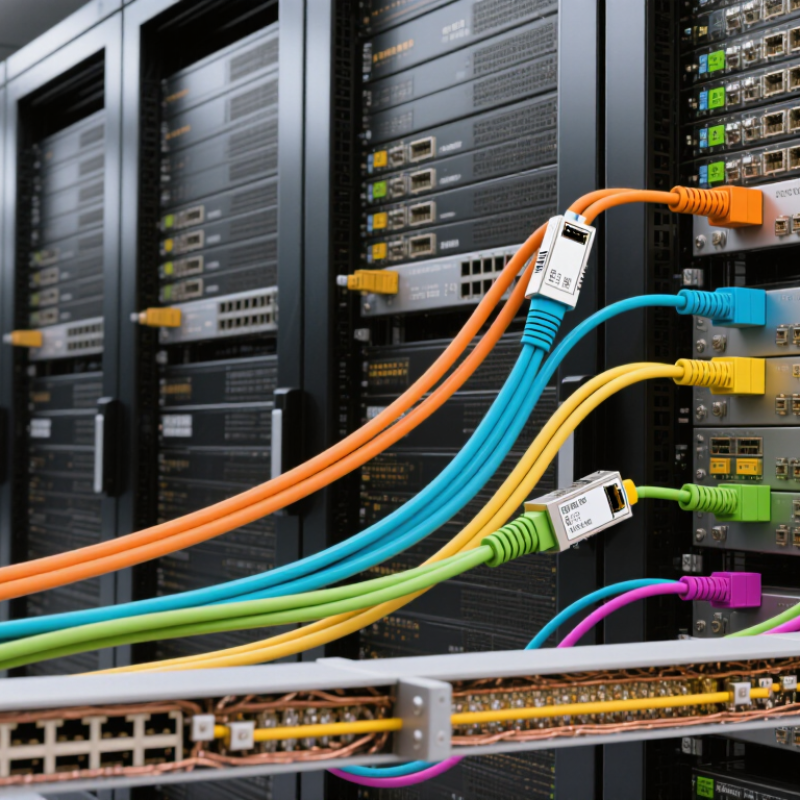
An active optical cable, or AOC, combines fiber strands with electronic modules at both ends. It carries data as light instead of sending every signal through copper. The source connector receives electrical data from a switch, server, display, or storage device. A built-in transmitter converts those signals into optical pulses. The fiber then carries the pulses with low electromagnetic interference. At the opposite end, a receiver changes light back into electrical data. The connected equipment sees a normal cable connection.
AOC designs support several interface families, including Ethernet, HDMI, DisplayPort, USB, PCIe, SAS, and high-speed server links. Their fixed transceivers simplify installation because separate optical modules are usually unnecessary. They also reduce cable weight in dense racks. Check the connector type, data rate, transmission distance, and operating temperature before purchasing. Do not judge compatibility by appearance alone. An eight-lane cable may use a connector that looks familiar but follows a different signaling standard.
In practical installations, avoid sharp bends and strong pulling forces. Fiber is thin, even when the outer jacket feels durable. AOC cables normally require power from the connected ports, so passive-looking does not mean power-free. They can also be less flexible for future upgrades because the ends are permanently attached. This limitation is easy to overlook. Testing link negotiation after installation is wise, especially with long runs or mixed equipment. A failed link may result from firmware, port settings, or insufficient power, not only from damaged fiber.
What Are the Top 10 Types of AOC Fiber Cable?
Active Optical Cables (AOCs) combine optical fiber with transceivers in the connectors. They convert electrical signals to optical signals, transmit them through fiber, and convert them back at the opposite end. The chart compares representative maximum cable reaches commonly specified for each AOC category; actual distance depends on the standard, data rate, and cable design.
AOCs are widely used for high-bandwidth links because they offer low electromagnetic interference, reduced weight, and longer reach than comparable passive copper cables.
How Are AOC Fiber Cables Classified by Interface and Design?
AOC fiber cables are classified mainly by interface and physical design, not by fiber color or jacket shape. Ten common families include SFP+, SFP28, QSFP+, QSFP28, QSFP56, QSFP112, QSFP-DD, OSFP, HDMI, and DisplayPort. SFP designs usually serve one or two data lanes. QSFP and OSFP designs support higher lane counts and wider bandwidth. QSFP-DD uses a double-density electrical interface, while OSFP uses a larger housing for thermal capacity. HDMI and DisplayPort AOCs target high-resolution video links rather than data-center switching.
The 2024 Ethernet Roadmap places 400G, 800G, and 1.6T among key Ethernet development stages. This progression explains why QSFP112, QSFP-DD, and OSFP cables receive growing attention in AI clusters. A 2024 hyperscale data-center report counted 1,136 hyperscale sites worldwide. More sites mean longer, denser links and stricter installation planning. Breakout AOCs divide one high-speed port into two or four lower-speed connections. Direct AOCs keep both ends fixed and reduce connector loss. Some designs use removable optical transceiver ends, but they are not always classified as standard AOCs.
Cable selection still needs practical verification. Check lane mapping, transmission distance, bend radius, power consumption, and switch firmware compatibility. A 3-meter cable may work perfectly in a rack. It may fail in a crowded overhead tray. That detail is easy to miss. Reported speed alone cannot confirm interoperability, and this is where many purchasing decisions remain too optimistic.
What Are the Top 10 Types of AOC Fiber Cable? How Are AOC Fiber Cables Classified by Interface and Design?
| No. | AOC Cable Type | Interface / Form Factor | Typical Data Rate | Common Link Length | Typical Use | Key Design Characteristic |
| 1 | QSFP+ AOC | QSFP+ to QSFP+ | 40 Gb/s | Up to about 100 m | Data-center switches and servers using 40 Gigabit Ethernet | Four optical lanes transmit in parallel; reach depends on the cable and optical specification. |
| 2 | QSFP28 AOC | QSFP28 to QSFP28 | 100 Gb/s | Up to about 100 m | 100 Gigabit Ethernet links between switches, servers, and storage systems | Typically uses four 25 Gb/s lanes; some implementations support breakout connections. |
| 3 | QSFP56 AOC | QSFP56 to QSFP56 | 200 Gb/s | Up to about 70 m | High-bandwidth data-center interconnects | Four lanes operate at approximately 50 Gb/s per lane using PAM4 signaling. |
| 4 | QSFP-DD AOC | QSFP-DD to QSFP-DD | 400 Gb/s | Up to about 100 m | 400 Gigabit Ethernet switches and high-density data-center links | Eight electrical lanes connect to optical lanes; exact lane mapping varies by implementation. |
| 5 | OSFP AOC | OSFP to OSFP | 400 Gb/s or 800 Gb/s | Typically tens of metres; product-dependent | High-density switching platforms and large-scale computing networks | Uses the OSFP form factor; supported rate and reach depend on the host interface and cable design. |
| 6 | SFP+ AOC | SFP+ to SFP+ | 10 Gb/s | Up to about 100 m | 10 Gigabit Ethernet and other short-reach data links | Compact, fixed-length assembly with integrated optical transceivers at both ends. |
| 7 | SFP28 AOC | SFP28 to SFP28 | 25 Gb/s | Up to about 100 m | 25 Gigabit Ethernet server and switch connections | Single-lane design commonly used for direct, short-reach equipment links. |
| 8 | SFP56 AOC | SFP56 to SFP56 | 50 Gb/s | Product-dependent; generally for short-reach links | 50 Gigabit Ethernet connections in compact network equipment | Single-lane PAM4 signaling in an SFP-sized interface; host compatibility must be checked. |
| 9 | Breakout AOC | One QSFP-family end to two or four SFP-family ends | For example, 100 Gb/s to 4 × 25 Gb/s | Usually up to about 100 m, depending on the assembly | Connecting a high-speed switch port to multiple lower-speed server or switch ports | Fan-out design; the supported breakout mode depends on the switch, port configuration, and cable wiring. |
| 10 | Active Optical HDMI Cable | HDMI to HDMI | Video bandwidth depends on the HDMI version and cable specification | Longer runs than typical passive HDMI cables; product-dependent | Displays, digital signage, conference rooms, and audiovisual installations | Uses optical transmission within the cable; directionality and supported video features should be verified. |
What Are the Key Differences Among the Ten AOC Cable Types?
The ten AOC cable types differ mainly in protocol, lane count, data rate, and intended reach. Ethernet models commonly serve links from 10 to 800 gigabits per second, while InfiniBand versions target high-throughput computing clusters. A 10G cable may use a simple two-lane design; a 400G model can combine several lanes inside one assembly. More lanes can mean greater capacity, but also a larger connector and stricter host compatibility.
Connector style matters. SFP, QSFP, and OSFP assemblies fit different switch or server ports, so matching the port is essential. Breakout AOCs split one higher-speed connection into several lower-speed links, useful when a top-of-rack switch connects to multiple servers. Direct-link AOCs keep the connection as one path. Some cable families prioritize short cabinet runs; others support longer rows, with reach varying by specification and cable construction. Check the equipment documentation, not just the connector shape.
Their practical differences show up during installation. A short, thin cable is easier to route around a crowded rack, while a longer assembly can reduce the need for intermediate equipment. AOCs also integrate optical transmitters and receivers, unlike passive copper cables, and typically use less power than separate transceivers with fiber. Still, not every cable works in every port. A label can say “400G” and yet conceal an incompatible protocol or lane arrangement. I would verify both ends before ordering; that step is easy to skip.
How Should You Choose the Right AOC Fiber Cable for Your Network?
Choosing the right AOC fiber cable starts with the network’s actual requirements, not its advertised speed. Match the cable with the port type, such as SFP+, SFP28, QSFP+, QSFP28, QSFP56, QSFP-DD, or OSFP. A 10Gb connection needs a different interface from a 400Gb connection. Check the switch and server manuals carefully. “Same connector” does not always mean compatible.
Cable length also matters. Measure the rack path, including vertical routing and service loops. Short cables can reduce clutter, while longer cables may simplify maintenance. However, excessive length can raise cost and increase installation challenges. Select a suitable breakout AOC when one high-density port connects to several lower-speed ports. Verify lane configuration before ordering. This is easy to miss.
During practical installations, I check transmission distance, bend radius, power consumption, operating temperature, and diagnostic support. AOC cables usually work well for short data-center links because they combine transceivers and fiber in one assembly. They also reduce field termination work. Still, compatibility coding and firmware behavior can affect performance. I once trusted a port specification too quickly and needed a replacement cable. That mistake was avoidable. Ask for test reports, error-rate data, and compliance information from the supplier. Confirm the return policy too. Documentation can be incomplete. Your network’s upgrade path should guide the choice, not only today’s bandwidth.